
Insation TV for Everyday Viewing
Bring your viewing together with Insation TV. Choose a subscription length, set up your compatible player, and explore television over your internet connection.





Choose Your IPTV Device
- PC & MAC (VLC, Kodi)
- Amazon (Fire TV, Stick)
- Android (SmartPhone, Tablet, Box)
- Smart TV ( SMART IPTV APP )
- Avov BOX / Formuler
- Apple (iPhone / iPad)
- MAG BOX
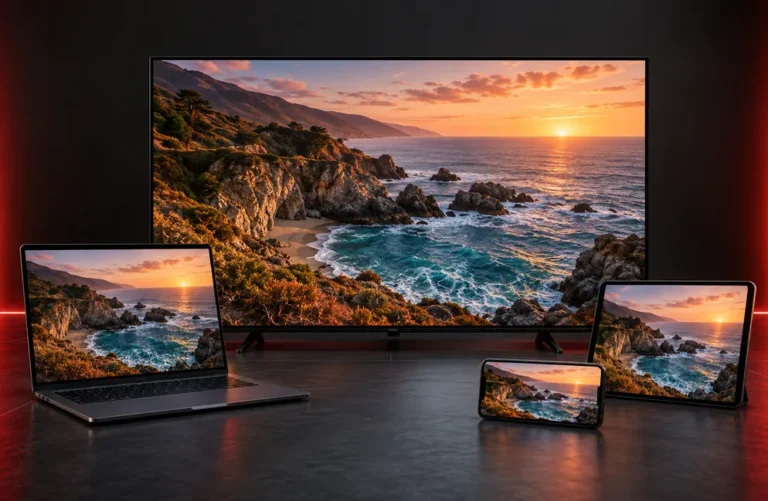
How Insation TV IPTV Works
IPTV delivers television through an internet connection. A compatible player opens your account and organizes viewing into channels and, where included in your selection, on-demand movies and series. Live TV follows a broadcast schedule; on-demand viewing lets you choose when to start a title. Our setup FAQ explains the viewing process.
- US channels (Full) Story, Sports, Movies & Kids...
- UK channels (Full) Story, Sports, Movies & Kids...
- CA (Full) Story, Sports, Movies & Kids...
- Europe (Full) Story, Sports, Movies & Kids...
- Latin (Full) Story, Sports, Movies & Kids...
- African channels (Full) Story, Sports, Movies & Kids....
- Arabic channels (Full) Story, Sports, Movies & Kids...

Insation TV Subscription Plans
1 MONTH
-
+28,000 Live Channels
-
+140,000 Movies & TV Shows
-
4K/FHD/HD/SD Quality
-
Available Worldwide
-
TV Guide (EPG)
-
Fast & Stable
-
All Devices Supported
3 MONTH
-
+28,000 Live Channels
-
+140,000 Movies & TV Shows
-
4K/FHD/HD/SD Quality
-
Available Worldwide
-
TV Guide (EPG)
-
Fast & Stable
-
All Devices Supported
6 MONTH
-
+28,000 Live Channels
-
+140,000 Movies & TV Shows
-
4K/FHD/HD/SD Quality
-
Available Worldwide
-
TV Guide (EPG)
-
Fast & Stable
-
All Devices Supported
12 MONTH
-
+28,000 Live Channels
-
+140,000 Movies & TV Shows
-
4K/FHD/HD/SD Quality
-
Available Worldwide
-
TV Guide (EPG)
-
Fast & Stable
-
All Devices Supported
Explore Insation TV

Browse the Channel Categories
A wide range of TV channels from practically every nation are available with our IPTV service, including the UK, USA, Canada, Portugal, Albania, Germany, Italy, France, Brazil, Romania, Greece, Spain, Ireland, Australia, Arabic, and many more.
Movies and Series with Insation TV
On-demand viewing works differently from live television: pick a movie or episode from the library available in your selected package, then start playback when you are ready. The artwork below illustrates entertainment genres.





TELEVISION OVER THE INTERNET
Understand Your Insation TV Viewing Options
Start with the way you watch: scheduled channels, a subscription term, and a player on your chosen screen. These are the key parts of an IPTV setup.
Live TV
- Channels play to a broadcast schedule.
- Choose a category to find something to watch.
- A television guide, when provided by the player and feed, helps you browse programs.
Insation TV Plans
- Choose 1, 3, 6 or 12 months.
- Select New Line or Existing Line on the product page.
- For a new line, choose your device, channel package and VOD languages.
- Review your selection in checkout.
Your Viewing Setup
- An internet-connected viewing device.
- A player suited to that device.
- The correct account details for your player.
- Helpful answers in the Insation TV FAQ.
GETTING STARTED
Set Up Insation TV in 3 Steps
Move from choosing a subscription to configuring your viewing account. Keep your device and order information together for a smoother setup.
STEP 01
Choose Your Plan
Compare the subscription plans and choose the term that fits your routine: 1, 3, 6 or 12 months.
STEP 02
Customize Your Subscription
Choose New Line for a new account or Existing Line for a renewal. New-line orders include device, channel-package and VOD-language selections.
STEP 03
Submit Your Order
Review the order summary and checkout details. Use the supplied account information to configure your player; see our FAQ or contact page for setup help.
